Motorys
Backseat Organizer with Phone & Cup Holder
Backseat Organizer with Phone & Cup Holder
Couldn't load pickup availability

Keep Your Car Clean, Organized, and Stress-Free
Tired of clutter in your car? This multifunctional backseat organizer helps keep everything in its place — from your phone and drinks to tissues and small essentials — so every drive feels cleaner and more comfortable.
Why drivers love it
● Keeps your car tidy
Smart compartments help eliminate clutter and keep essentials easy to reach.
● Stable & secure fit
Attaches firmly to the back of the seat with a strong buckle — stays in place even on bumpy roads.
●Compact but practical
Takes up minimal space while holding your everyday items: phone, cup, tissues, snacks, and more.
● Durable materials
Made from wear-resistant leather and ABS plastic for long-lasting daily use.
● Easy access while driving
Designed for convenience — grab what you need without distraction.
Perfect for everyday use
Ideal for daily commuting, road trips, family drives, and ridesharing. Works with most vehicles, including cars, SUVs, trucks, and RVs.
Product details
● Material: Leather + ABS
● Installation: Quick buckle attachment (no tools needed)
● Features: Storage compartments, tissue holder, phone stand, cup holder
● Weight: approx. 550 g
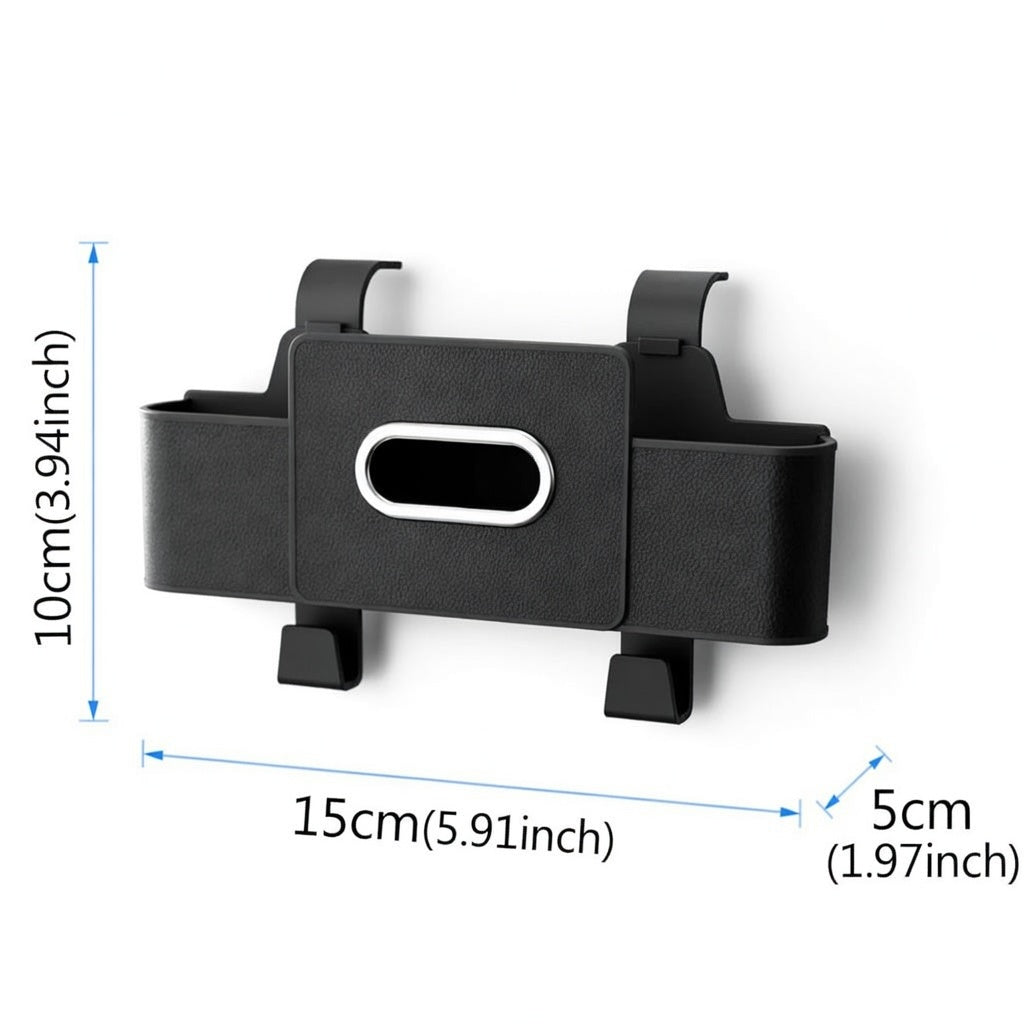
● Size: 15 × 5 × 10 cm (5.9 × 2 × 3.9 in)
What’s included
● 1 × Backseat Storage Organizer
Small notes
● Color may vary slightly due to lighting and screen settings
● Minor size variations may occur due to manual measurement


Frequently Asked Questions
Frequently Asked Questions
1. Will this work with my car?
This adapter works with any vehicle that already has factory wired CarPlay and/or wired Android Auto built in. It converts your existing wired connection to wireless — it does not add CarPlay or Android Auto to cars that don't have it. If you're unsure whether your car has wired CarPlay, check your owner's manual or try plugging your iPhone into your car's USB port — if CarPlay appears on your screen, the adapter will work.
2. How fast does it connect?
After the initial one-time pairing, the adapter connects automatically every time you start your car — typically within 8–15 seconds. Just get in, start the engine, and CarPlay or Android Auto appears on your screen. No buttons to press, no cables to plug in.
3. Is there any lag or delay?
The adapter uses a 5.8 GHz WiFi connection, which provides a stable, low-latency experience. For everyday use — navigation, music, calls — the performance is virtually identical to a wired connection. You may notice a fraction-of-a-second delay when tapping controls, but it's barely perceptible during normal driving.
4. Will it drain my phone battery?
Wireless CarPlay does use more battery than wired since your phone isn't being charged through USB. For short commutes (under 30 min), battery drain is minimal. For longer drives, we recommend using a wireless charging pad or a separate charging cable — you'll still enjoy the cable-free CarPlay experience since the adapter stays plugged into your USB port.
5. Does it work with both iPhone and Android?
Yes. The adapter supports both wireless CarPlay (iPhone with iOS 10+) and wireless Android Auto (Android 11+ with 5 GHz WiFi support). However, if your car only has factory wired CarPlay but not Android Auto, the adapter cannot add Android Auto — and vice versa. It converts what your car already supports.
6. Do I need to install anything or update my car?
No. It's 100% plug and play. Just plug the adapter into your car's USB data port, pair your phone via Bluetooth once, and you're done. No apps to install, no firmware updates required, no changes to your car's settings.
7. What if it doesn't work with my car?
We offer a 30-day money-back guarantee. If the adapter isn't compatible with your vehicle or you're not satisfied for any reason, you can return it for a full refund — no questions asked.